
If your organization runs the same kind of event repeatedly — an annual conference, a recurring dinner series, quarterly training sessions — rebuilding registration types, custom questions, and site design from a blank event every single time is a real time sink. Cvent has more than one way to avoid this, and which one fits depends on what exactly you’re trying to reuse: the whole event structure, just the registration questions, or specific components like invoices and pricing text.
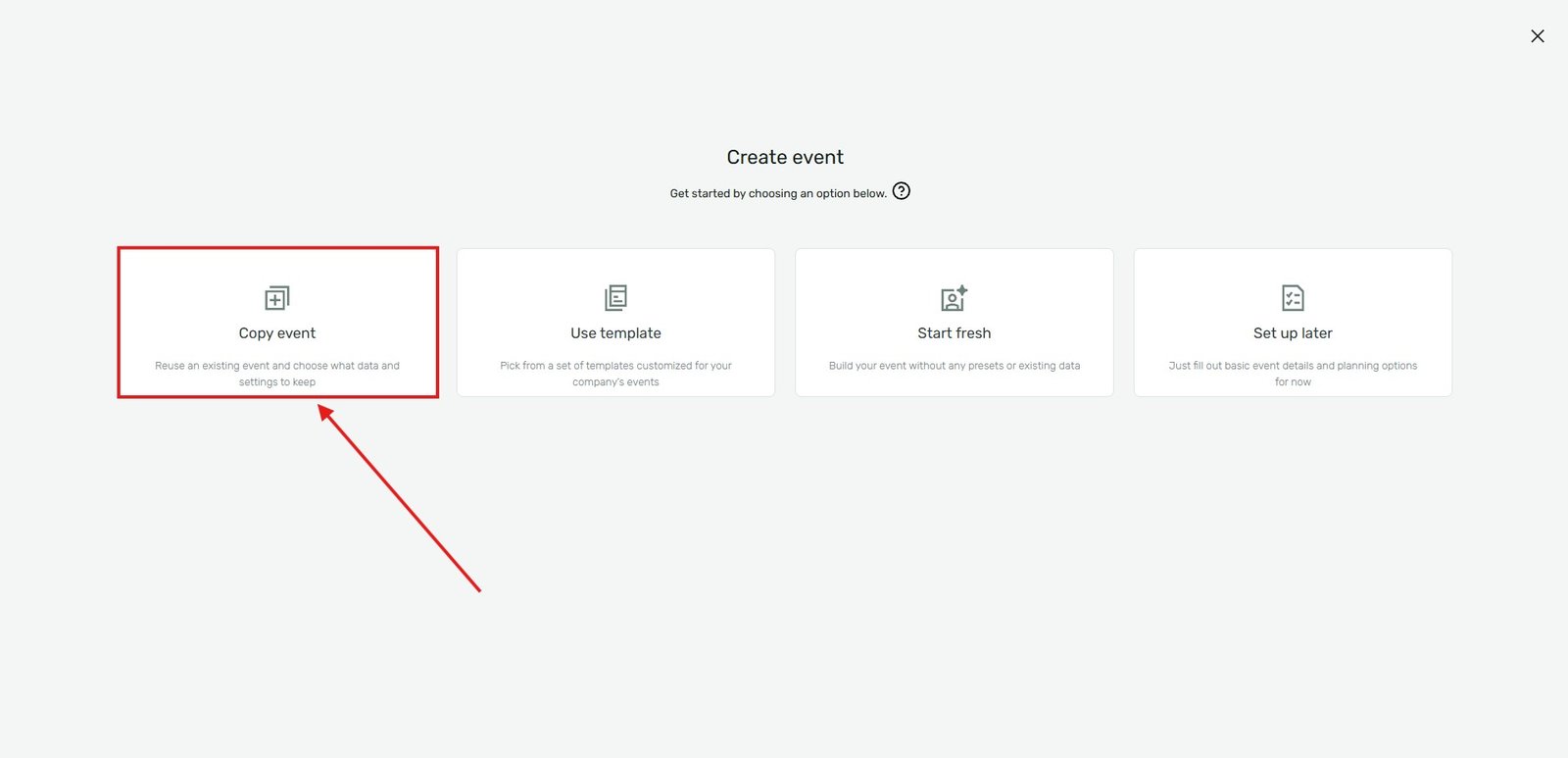
Method 1: "Use an Existing Event" (the broadest option)
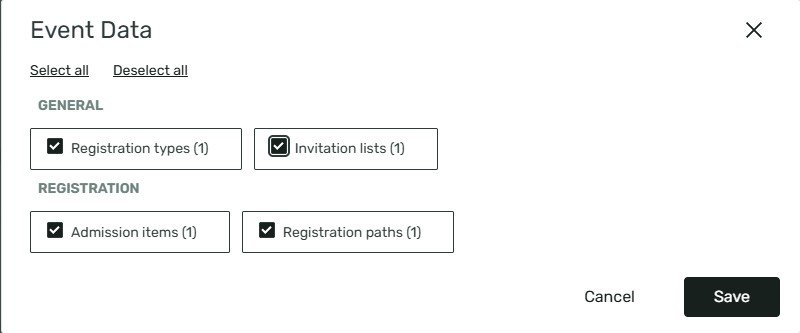
When creating a new event in Cvent, there’s an option to base it on an existing one rather than starting blank — commonly referred to as Use an Existing Event. This carries over the registration setup from the event you select, including things like registration types, custom questions, and site design, instead of making you rebuild each piece individually.
The real value of this comes from being deliberate about what you duplicate from. One practical approach shared by a longtime Cvent admin in the community: rather than duplicating whatever your most recent live event happened to be, build clean, purpose-built template events for each recurring event category your organization runs — for example, one for “Advisory Board,” one for “Speaker Training,” one for “Dinner” — and always duplicate from those, not from a real past event. A real past event tends to accumulate one-off tweaks, outdated pricing, or event-specific text that isn’t meant to carry forward; a dedicated template event stays clean and general-purpose specifically because nothing ever registers for it directly.
Method 2: Registration Templates (for standardizing data collection)
Separate from duplicating a whole event, Cvent has a dedicated Registration Templates feature at the administrator level, built specifically to keep data collection consistent across events — standard questions, custom contact fields, and consent questions can all be packaged into a template and selected during event creation, rather than trusting every event builder to recreate the same set of fields correctly by hand.
Worth noting: based on Cvent’s own product documentation, this specific templating tool has been introduced in the context of webinar creation — so if you’re setting up in-person or hybrid Event Management events rather than webinars, check whether this option is available to you, or whether “Use an Existing Event” is your primary route instead. Availability can depend on your specific Cvent product and account configuration.
Method 3: Account-level templates for specific components
Not everything needs to be duplicated at the whole-event level. Some pieces — like invoices — can be set up once as an account-level template and reused across every event without being tied to any single source event at all. One real example from the community: building a single account-level invoice template, linking it from the confirmation email and confirmation page, so that generating a one-off invoice for any registrant across any event only takes a couple of clicks rather than rebuilding formatting each time.
Method 4: Datatags for content that needs to stay in sync
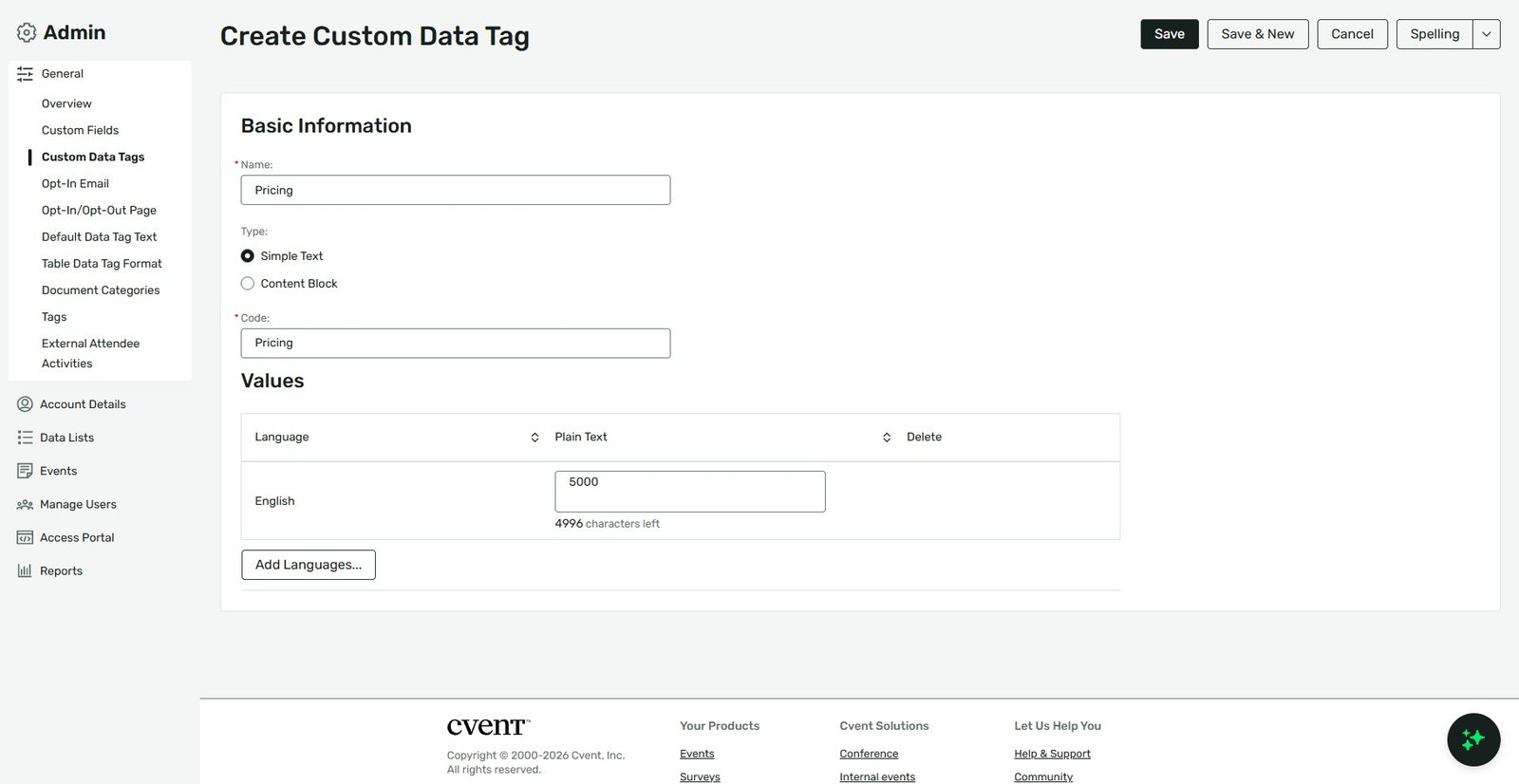
If what you’re actually trying to avoid is re-typing the same piece of text in many places within (or even across) your registration setup — a price, a policy line, a recurring instruction — Datatags solve a slightly different problem than event duplication. A datatag lets you update content in one place and have it automatically reflect everywhere it’s been inserted, rather than manually hunting down every instance across pages, emails, and confirmation screens. This is especially useful for things likely to change between events, like pricing or dates, since you only need to update the tag once rather than search-and-replace across your whole site and email set.
What to double-check after duplicating (regardless of method)
Duplication saves setup time, but it doesn’t mean the new event is ready to publish as-is. After using any of the above, review:
- Dates and deadlines — these virtually never carry over correctly and need to be updated for the new event.
- Pricing and discount codes — confirm fees reflect current pricing, not whatever was live on the source event.
- Capacity limits — a cap that made sense for last year’s venue may not fit this year’s.
- Any event-specific text — session descriptions, banners, or instructions tied to the prior event’s specifics.
The takeaway
There isn’t one single “reuse” button in Cvent — there are several tools depending on what you’re duplicating. Use “Use an Existing Event” (ideally from a dedicated, clean template event, not a messy past one) when you want the whole registration structure to carry over, Registration Templates when you specifically want to standardize the questions and fields being collected, account-level templates for standalone components like invoices, and Datatags for keeping shared content in sync without manual re-editing. Whichever you use, always review dates, pricing, and capacity before publishing — duplication saves the structural work, not the event-specific details.