August 2026

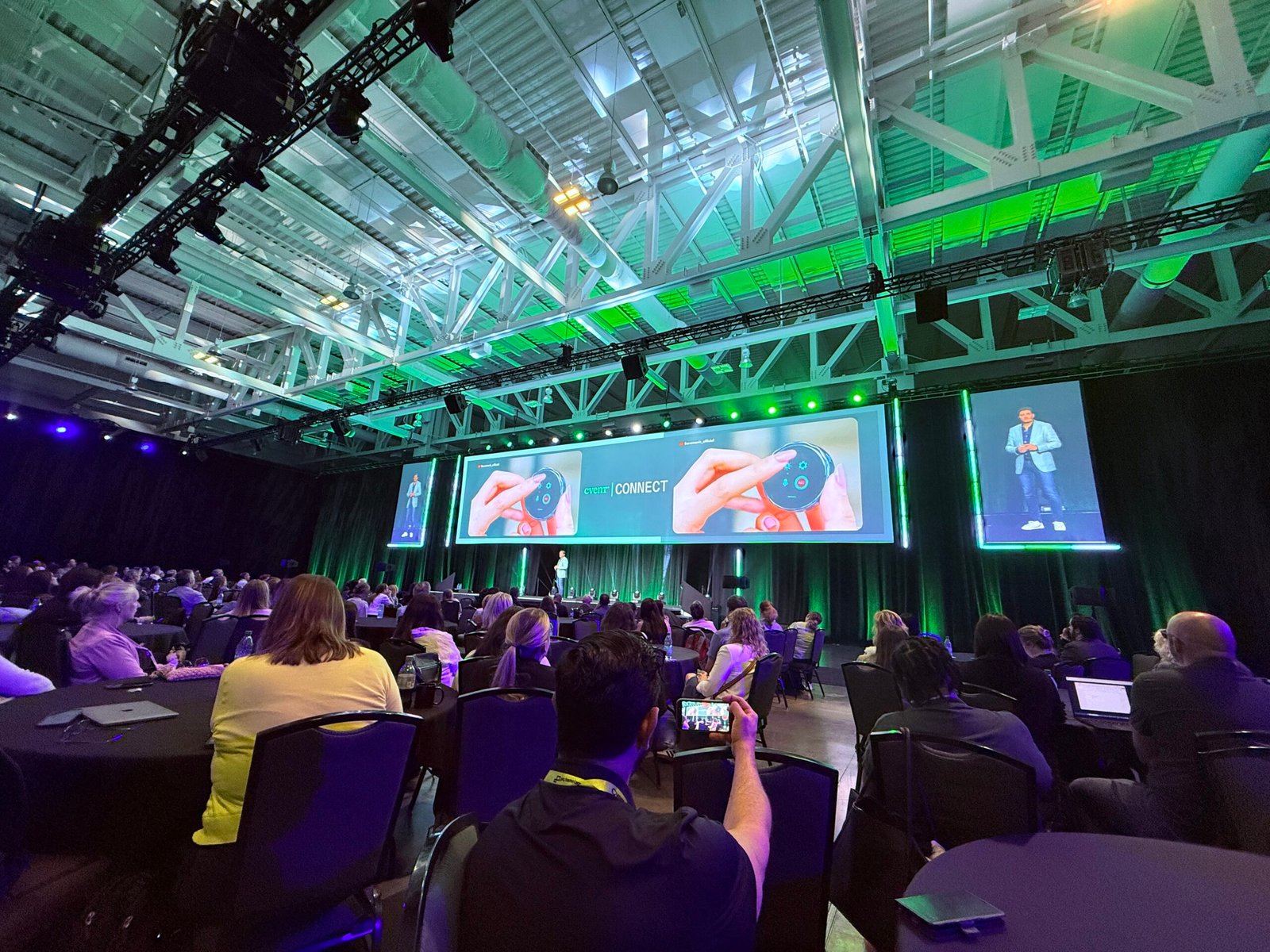
Cvent CONNECT 2026

Cvent CONNECT 2026: Everything Announced (Living Roadmap Tracker)
Cvent Connect

Quick Answer

Cvent CONNECT 2026 took place July 14 in Nashville, where Cvent announced more than 70 product innovations — including 34 new AI capabilities — backed by a $1 billion multi-year investment and a full company rebrand centered on “the Presence Premium.” Not everything announced is live yet. Some capabilities shipped immediately, others entered beta in the weeks after the keynote, and several remain scheduled for Q3 and Q4 2026. This page is the single, continuously updated source of truth for what’s actually available right now — with links to our full breakdown of every major piece.

The Master Status Table

We verify this table against Cvent’s own release notes, not just the keynote press release, since the two don’t always agree on timing.

🟢 Live now

Capability Category Notes
Attendee AI Assistant Marketing Embedded in Attendee Hub
Global Profiles & Discovered Interests Marketing No setup required
Snapshots, Session Takeaways, Audience Insights Marketing Zero-config content analytics
Network Builder Marketing Depends on attendee profile data quality
AI Sourcing (venue search) Hospitality Natural-language venue shortlist
AI Powered BYOR (reporting) Reporting Conversational report building
Event Theming Marketing Live
Cvent Assistant — Support / Knowledge Base Organizer Open beta, all customers, since May 2026
Cvent Assistant — Insights capability Organizer Open beta
Cvent Assistant — Survey Feedback Insights Organizer Open beta
Attendee Assistant Attendee Hub Live
AI RFP Builder Hospitality (CSN) Live
AI Seating Assistant Hospitality/Diagramming Beta, Diagramming customers
Rooming List Assistant Hospitality (Passkey) Live, standalone update
Multi-hotel group bookings Hospitality (Passkey) Live, standalone update

🟡 Beta started July 2026

Capability Category Notes
Registration Setup capability Organizer Conversational registration builds
Attendee Management capability (narrower) Organizer Retrieve details, registration changes, agenda updates
Agenda Builder Marketing Needs full session catalog tagged correctly
Warm Introductions Marketing Beta
Exhibitor Recommendations & Lead Follow-Ups Marketing Beta
BI Reporting Assistant Hospitality Beta

🔴 Confirmed for Q3 2026

Capability Category Notes
CventIQ Skills Platform Headless — works through Claude, ChatGPT, Salesforce Agentforce
Cvent Assistant — Event Creation Organizer Full branded draft from uploaded documents
Cvent Assistant — full Attendee Management flow Organizer Paste an email, one-click execute everything
Unified Event List & Navigation Organizer Every event type, one record
AI Content Assistant Hospitality Supplier profile scoring
Planner Navigator enhancements Hospitality Q3 2026
Response Assistant enhancements Hospitality Q3 2026

🔵 Confirmed for Q4 2026

Capability Category Notes
Program Knowledge Base Organizer Org-wide SOPs feed the Assistant
Essentials AI End-to-End Field marketing Full field events via prompt
Cross-format Budget Tracking Finance/Ops Across all event types
Event Diagramming updates (3D Designer) Hospitality Q4 2026

⚪ Rolling, no fixed date

Capability Category Notes
Passkey end-to-end room block overhaul Hospitality “Multiple enhancements through end of 2026,” unconfirmed specific dates
Abhishek Kapoor at Cvent Connect

How We Keep This Page Accurate

Most CONNECT 2026 coverage repeats Cvent’s own press release, which buckets many capabilities under one simplified “Expected Q3 2026” label. That framing is good enough for a headline, but not precise enough to plan a rollout around. We cross-check three sources before anything on this page changes status:

  1. Cvent’s flagship press release — the headline announcement, useful for scope but not for precise timing.
  2. Cvent’s own release-notes board (release.cvent.com) — where individual capabilities get their real beta dates, often ahead of what the press release implies.
  3. Independent reporting — trade press covering live demos and keynote reactions catches details neither Cvent document states outright, like which capabilities got a standing ovation specifically because they haven’t shipped yet.

When these three sources disagree, we follow the most granular and most recent one, and we say so. That’s why several items on this page show as “live now” even though Cvent’s own July 14 press release listed them as “Expected Q3 2026” — the underlying capability had already entered open beta by the time the keynote happened.

Why a Living Page Instead of a Recap

A press release is a snapshot. A single blog recap goes stale the day a beta status changes. This page exists because “everything Cvent announced” isn’t actually one moment — it’s a rollout stretching from May 2026 betas through Q4 2026 launches, and the honest answer to “is X available yet?” keeps changing throughout that window. Bookmark this page specifically because it’s built to keep answering that question correctly, not just on publish day.

Deep-Dive Directory

Every section above links to a full breakdown elsewhere on this site. Here’s the complete set, organized by theme.

Brand & Strategy

AI Platform

Feature Deep-Dives

Practical Guides

Changelog

  • July 24, 2026 — Hub page published. Full status table cross-verified against Cvent’s release notes board and Business Travel News reporting.
  • July 23, 2026 — Confirmed Insights capability, Survey Feedback Insights, and AI Sourcing were live in beta, correcting the flagship press release’s blanket “Expected Q3 2026” framing for these items.
  • July 20, 2026 — Business Travel News reported the full attendee-management flow (paste an email, one-click execute) is confirmed for Q3 2026, not yet shipped.
  • July 14, 2026 — Cvent CONNECT 2026 keynote in Nashville. 70+ product innovations announced, including 34 AI capabilities, a $1 billion investment pledge, and the company rebrand around the Presence Premium.
  • July 6, 2026 — Cvent opened beta enrollment for Registration Setup and Attendee Management capabilities.
  • June 10, 2025 — CventIQ originally launched at Cvent CONNECT in San Antonio, the foundation this year’s announcements build on.

This changelog updates as each Q3/Q4 2026 feature ships, moves status, or has its timeline revised. Bookmark this page rather than any single feature announcement — Cvent’s own beta dates are explicitly subject to change.
Cvent Connect Conference

Stay Updated

New capabilities will move from this page’s Q3 and Q4 sections into “Live now” throughout the rest of 2026. Two ways to stay ahead of it:

  • Subscribe to our newsletter for updates the moment a status changes on this page.
  • Get a readiness audit. If your team wants to know exactly which of these capabilities are worth adopting now versus waiting on, that’s a conversation, not a table.

FAQs

What was announced at Cvent CONNECT 2026? Cvent announced more than 70 product innovations, including 34 new AI capabilities, backed by a $1 billion multi-year investment. Major announcements included the Cvent Assistant, CventIQ Skills, a Unified Event List, a Passkey room-block overhaul, and a full company rebrand around the concept of the Presence Premium.

Is everything from Cvent CONNECT 2026 available now? No. Several capabilities are live today, others entered beta in July 2026, and several major features — including the Unified Event List and the full Cvent Assistant attendee-management flow — are confirmed for Q3 or Q4 2026. See the status table above for the current breakdown.

How often is this page updated? This page updates as Cvent capabilities move between beta and general availability, or as timelines change. Check the changelog above for the most recent update.

Where can I read more about a specific Cvent CONNECT 2026 announcement? See the Deep-Dive Directory above — every capability links to a full breakdown covering what it does, its real status, and how to prepare for it.

Cvent CONNECT 2026: Everything Announced (Living Roadmap Tracker) Read More »
Cvent forms | Cvent Connect | AttendeeGain

Registration Conversion in the AI Era: Optimizing Cvent Forms for 2026

Cvent forms | Cvent Connect | AttendeeGain

Quick Answer

The average event registration form has 8.2 fields and converts at roughly 30%, according to Markletic’s 2024 event marketing survey — but conference forms with 12 or more fields convert under 18%. AI is changing that math in 2026: dynamic, conditional registration flows convert at more than double the rate of static forms, per Bizzabo’s 2026 benchmark data. Below is a Cvent-specific framework for closing that gap — field-by-field tactics, real benchmarks, and where Cvent’s new AI tools actually move the number, not general website-design advice you’ve likely seen before.

(If you’re after broader event-website design tips — branding, CTAs, social proof — we covered that separately in Website Magic. This post goes deeper on the form itself.)

Key Takeaways

  • The average event registration form converts at roughly 30%, with most drop-off concentrated in fields three through six.
  • Conversion doesn’t decline evenly as fields increase — it holds fairly steady through 5 fields, then falls sharply from 5 to 7.
  • Dynamic, conditional registration flows convert at more than double the rate of static forms, per 2026 benchmark data.
  • Shorter isn’t automatically better. Context matters more than raw field count — we cover the real principle below.
  • Cvent’s new Registration Setup capability (in beta since July 2026) lets planners build conditional, conversational registration flows without custom logic-building from scratch.

The Real Numbers Behind Registration Drop-Off

Most advice about registration forms treats field count as a straight line: fewer fields, more conversions. The real data shows a curve, not a line.

Cross-industry form research shows conversion holding relatively steady through the first few fields, then falling off a cliff between 5 and 7 fields — each additional field in that range costs roughly twice what it cost before the cliff. Event-specific data backs the same pattern: forms with 12 or more fields convert under 18%, while the 8.2-field average sits closer to 30%.

But here’s the nuance most listicles skip: shortening a form doesn’t always help. Documented case studies have found the opposite result — one test saw conversions actually improve by adding fields, when the additional questions gave visitors confidence they’d get a genuinely tailored answer. The real driver isn’t field count on its own. It’s whether each field feels justified by the value the registrant expects back.

Where Cvent's Own Tools Change the Calculus

This is where Cvent-specific tactics diverge from generic form advice.

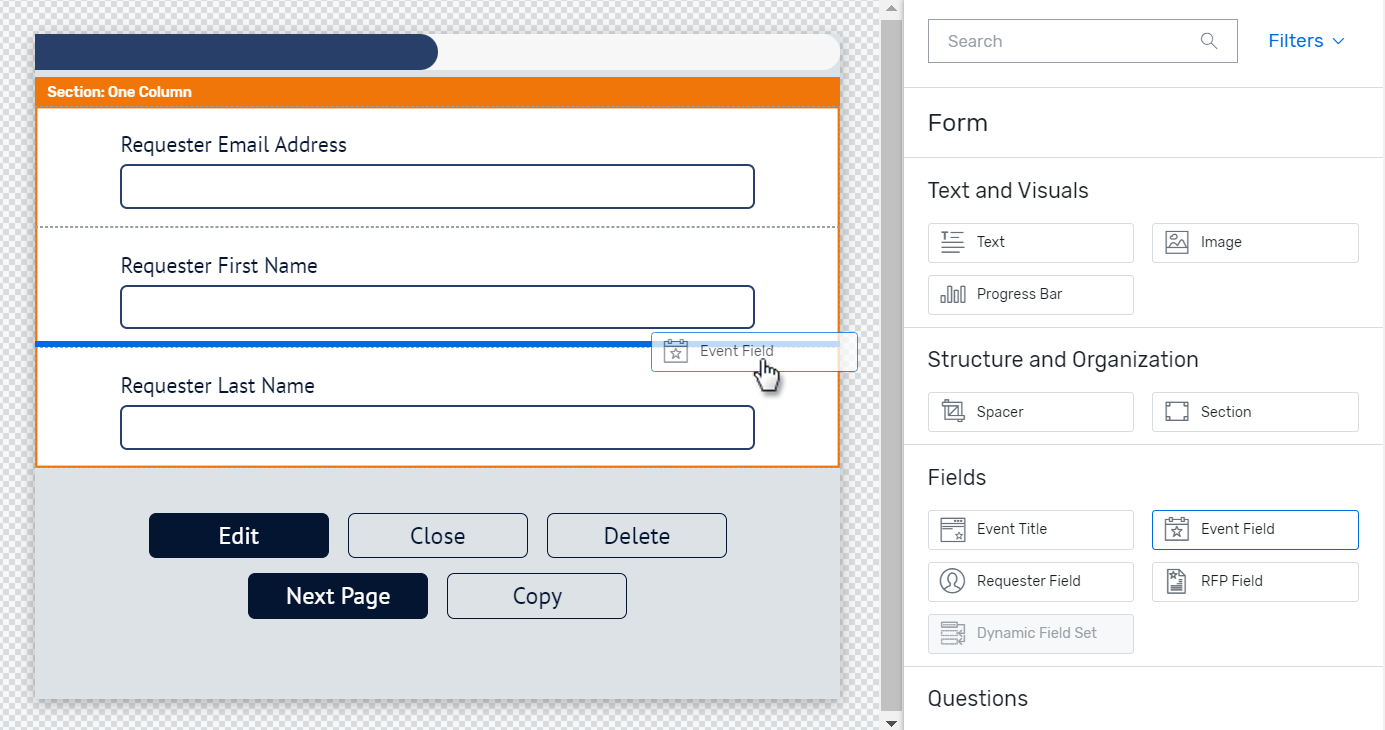
Conditional logic and multi-track builds let you keep the felt length of a form short even when the total field count is higher. Ask the qualifying question first — track, session interest, dietary needs — then use logic branching to show only the fields relevant to that answer. A 15-field form that shows each registrant only 6 of them behaves like a 6-field form in practice.

Global Profiles and Discovered Interests reduce required typing for returning attendees entirely. If someone already has a profile from a past event, pre-fill what you already know instead of asking again — every pre-filled field is a field that can’t be abandoned.

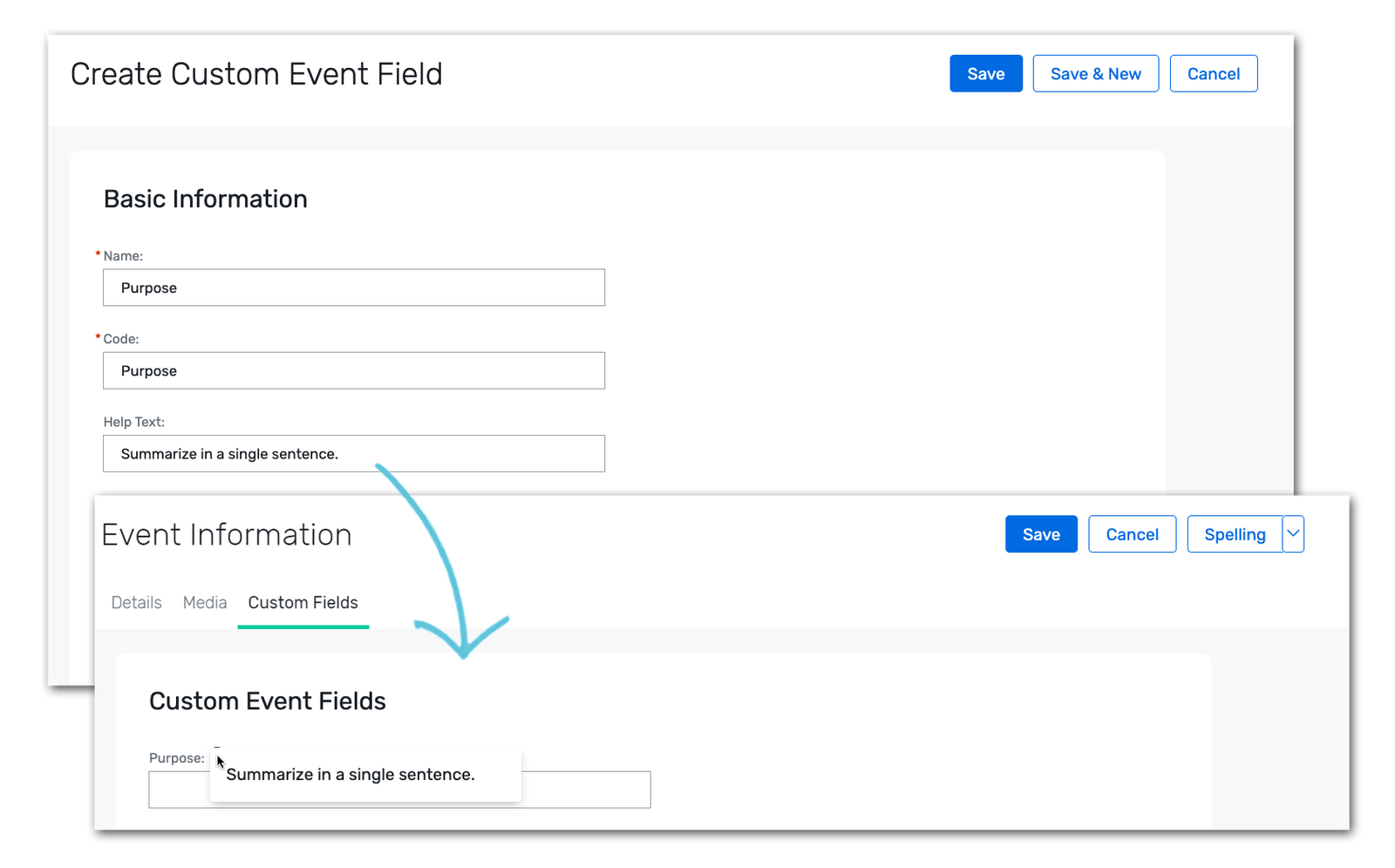
The Registration Setup capability, in beta since July 2026, lets planners configure conversational, conditional registration flows without building custom logic from scratch. This is Cvent’s direct answer to the industry-wide shift toward dynamic registration — 2026 benchmark data shows these flows converting at more than double the rate of static forms. For the full status of this and related Assistant capabilities, see our Cvent Assistant status tracker.

A Practical Field-by-Field Framework

Sort every field into one of three tiers before you build anything:

  1. Tier 1 — always ask upfront. Name, email, company. Nothing else belongs above the fold.
  2. Tier 2 — ask only if relevant. Dietary restrictions, session track, breakout preferences. Use conditional logic to surface these only after a qualifying answer makes them necessary.
  3. Tier 3 — don’t ask at all if you can avoid it. Anything Global Profiles or CRM data already knows. Progressive-profile this after registration instead of front-loading it.

This tiering does more for your real conversion rate than any single “shorten your form” rule, because it targets the actual mechanism — perceived effort versus perceived value — rather than a raw field count.

Cvent form fields | Cvent Connect | AttendeeGain

A/B Tests Worth Running

  • Remove one mid-funnel field (typically field 3–6, where drop-off concentrates) and measure completion rate against your baseline.
  • Static form vs. conditional-logic flow for the same event, if your program runs at high enough volume to split test meaningfully.
  • Confirmation-flow copy, testing urgency-based messaging against neutral confirmation language.
  • Reminder timing. Since a majority of registrants sign up within seven days of an event, test a late-window nudge sequence against your current cadence.

Benchmarks to Judge Your Own Funnel Against

Metric Benchmark
Average event registration form field count 8.2 fields
Average event registration completion rate ~30%
Conference forms with 12+ fields Under 18% conversion
Field-count “cliff” Sharpest drop between 5 and 7 fields
Dynamic/conditional flows vs. static forms 2x+ conversion rate
Webinar registration-to-attendance rate 44–50%
Registrants who sign up within 7 days of the event 59%

If your funnel sits meaningfully below these numbers, the field-tiering framework above is the fastest place to start.

Where to Go From Here

Registration conversion and event ROI are directly connected — a higher-converting form means more pipeline from the same traffic. See our event ROI framework for how to connect registration performance to pipeline and revenue. For the AI infrastructure behind features like Registration Setup, read our CventIQ explainer.

FAQs

What’s a good event registration conversion rate? Around 30% is the current average, based on Markletic’s 2024 event marketing survey. Conference forms with 12 or more fields tend to convert under 18%, while shorter, well-tiered forms can exceed the average.

Does shortening a registration form always increase conversions? No. Field count matters, but context matters more. Documented tests have found longer forms outperforming shorter ones when the extra fields signal a more tailored result. The real driver is whether each field feels justified by the value the registrant expects.

How many fields should an event registration form have? There’s no universal number. Use a tiered approach: ask only name, email, and company upfront, surface additional fields conditionally based on qualifying answers, and pull anything else from existing profile or CRM data instead of asking again.

What is Cvent’s Registration Setup capability? A Cvent Assistant capability, in beta since July 2026, that lets planners build conditional, conversational registration flows without custom logic-building from scratch.

Does AI actually improve registration conversion? Early data suggests yes. Dynamic, conditional registration flows convert at more than double the rate of static forms, per 2026 industry benchmark data, largely by reducing the felt effort of completing the form.

Registration Conversion in the AI Era: Optimizing Cvent Forms for 2026 Read More »

Cvent Implementation | Cvent Connect | AttendeeGain

The Cvent Implementation Checklist (2026 Edition, Including AI Setup)

Cvent Implementation | Cvent Connect | AttendeeGain

Quick Answer

A Cvent implementation checklist covers seven phases: discovery and scoping, core platform configuration, integrations and data migration, testing and UAT, onsite and mobile setup, training and go-live, and post-launch optimization. A typical implementation runs 6 to 10 weeks depending on complexity, longer for multi-region or highly customized programs. Below is the full phase-by-phase breakdown, the pitfalls that derail most projects, and where the new AI features fit into your setup — not just the registration build most checklists stop at.

Key Takeaways

  • A full Cvent implementation typically takes 6–10 weeks, though complex multi-region programs run longer.
  • The biggest pitfall isn’t the platform build — it’s skipping a dedicated UAT phase and finding logic errors after launch instead of before it.
  • Historical data cleanup matters more in 2026 than it used to, since CventIQ’s AI features perform only as well as the data behind them.
  • Most teams underestimate ongoing ownership. Someone needs to own template, user, and integration management after the vendor project ends — or budget for a managed services retainer instead.
  • We built this checklist to be phase-by-phase and bookmarkable, not a wall of generic best practices.

Phase 1: Discovery & Scoping (Weeks 1–2)

Get this phase right, and everything downstream moves faster.

  1. Define every event type you’ll actually run through Cvent — conferences, webinars, roadshows, trade shows. Each has different configuration needs.
  2. Inventory your current tools and data. List everything you’re migrating from or connecting to: your CRM, your existing registration tool, your marketing automation platform.
  3. Map stakeholders and approval workflows. Decide who owns budget sign-off, who owns registration logic, and who owns reporting before configuration starts, not after.
  4. Scope your integrations explicitly. Salesforce, HubSpot, Marketo, and payment processors all need field-mapping decisions made up front.

Phase 2: Core Platform Configuration (Weeks 2–5)

This is where most of the actual build happens.

  1. Registration module setup — conditional logic, multi-track builds, payment processing, and custom confirmation flows.
  2. Email workflow configuration, tied to your registration logic and approval stages.
  3. Housing, budgeting, and reporting modules, configured to match your existing financial and operational processes.
  4. Brand templates, built once and reused across every future event rather than rebuilt each time.
  5. User roles and permissions, set deliberately rather than defaulting everyone to admin access.

Phase 3: Integrations & Data Migration (Weeks 4–6)

Run this in parallel with Phase 2 wherever possible.

  1. CRM sync configuration — Salesforce, HubSpot, or Marketo, mapped to your actual sales and marketing workflows.
  2. Integration sync verification. Confirm data actually flows correctly in both directions before you trust it.
  3. Historical data cleanup, if you’re migrating from another platform. This step gets skipped constantly, and it’s the one that causes the most pain later — both for reporting accuracy and for how well CventIQ’s AI features perform once you turn them on.

Phase 4: Testing & UAT (Weeks 6–7)

Don’t skip this phase to hit a deadline. It’s the cheapest insurance in the whole project.

  1. End-to-end test registrations, run by someone outside the build team.
  2. Logic validation across every conditional path, not just the default flow.
  3. Payment flow checks, tested with real payment methods, not just the sandbox.
  4. A guided UAT walkthrough with your full team before go-live, so surprises surface internally instead of in front of attendees.
Cvent Onsite| Cvent Connect | AttendeeGain

Phase 5: Onsite & Mobile Setup (Weeks 6–8, if applicable)

Skip this phase entirely if your program is fully virtual.

  1. OnArrival deployment — badge templates, self-service kiosks, mobile check-in, and session-scanning configuration.
  2. Mobile event app setup, branded and connected to your registration data.
  3. Onsite staffing plan, including who troubleshoots badge printing and check-in issues live.

Phase 6: Training & Go-Live (Week 8+)

  1. Platform walkthroughs and live training sessions for every admin and coordinator who’ll touch the system.
  2. Custom SOPs, written around your specific templates and workflows, not generic Cvent documentation.
  3. A post-training support period, so new admins have somewhere to go when they hit their first real problem.

Phase 7: Post-Launch Optimization (Ongoing)

  1. Custom dashboards and automated report scheduling, set up before your first event rather than built ad hoc afterward.
  2. Registration funnel analysis, reviewed after every event to catch drop-off points.
  3. Decide your ongoing ownership model. Some teams keep a dedicated in-house admin; others move to a managed services retainer where an outside team builds events, maintains templates, and runs integrations on an ongoing basis. Both work — but decide deliberately, rather than letting ownership fall through the cracks after launch.

The Full Timeline at a Glance

Phase Typical Duration Who Owns It
1. Discovery & Scoping Weeks 1–2 Project lead + stakeholders
2. Core Platform Configuration Weeks 2–5 Implementation team / admin
3. Integrations & Data Migration Weeks 4–6 (parallel to Phase 2) IT + platform admin
4. Testing & UAT Weeks 6–7 Full team, outside the build group
5. Onsite & Mobile Setup Weeks 6–8 (if applicable) Onsite/ops lead
6. Training & Go-Live Week 8+ Admin team + end users
7. Post-Launch Optimization Ongoing Dedicated admin or managed services partner

Note the overlap between Phases 2 and 3 — running configuration and integration work in parallel is usually the single biggest timeline saver, provided both teams stay in sync on field mapping.

Common Pitfalls That Derail Implementations

  • Skipping historical data cleanup. This breaks reporting accuracy and limits how well AI features like CventIQ can perform later.
  • Under-scoping integrations. CRM sync issues that surface post-launch are far more expensive to fix than issues caught during Phase 3.
  • No dedicated UAT phase. Teams that skip this find their logic errors in front of attendees instead of testers.
  • Treating implementation as one-and-done. Nobody owns template updates, user management, or integration maintenance once the project technically “ends.”
  • Ignoring AI readiness until it’s too late. Teams that don’t clean their data or plan permissions early get caught flat-footed when Q3 2026’s CventIQ features actually ship.
Cvent AI | Cvent Connect | AttendeeGain

Where AI and CventIQ Setup Fits

The 2026 wave of Cvent AI features doesn’t require a separate implementation project, but it does require groundwork most teams don’t plan for during their initial build. Fold these into Phase 3 and Phase 7 rather than treating them as a future problem:

  • Clean, structured historical data (the same data hygiene work as Phase 3, done with AI performance in mind).
  • Early beta enrollment for live features like Insights and Survey Feedback Insights.
  • A documented plan for populating the Program Knowledge Base once it ships in Q4 2026.
  • A data governance review, since CventIQ runs on third-party AI models.

For the full breakdown of what to configure and why, see our CventIQ explainer. And if your organization runs webinars, roadshows, or trade shows through separate tools today, build your migration plan around Cvent’s Unified Event List rather than implementing each event type as a separate project.

Where to Go From Here

This checklist covers the framework. The actual work — field mapping, UAT scripting, SOP writing — is where most projects actually slow down. For the complete, continuously updated status of everything Cvent has announced for 2026, see our CONNECT 2026 roadmap hub.

FAQ

How long does a Cvent implementation take? A typical implementation runs 6 to 10 weeks, covering discovery, configuration, integrations, testing, and training. Multi-region programs or heavy customization can extend that timeline significantly.

What are the phases of a Cvent implementation? Seven phases: discovery and scoping, core platform configuration, integrations and data migration, testing and UAT, onsite and mobile setup, training and go-live, and post-launch optimization.

What’s the biggest mistake teams make during Cvent implementation? Skipping a dedicated UAT phase. Teams that go straight from configuration to launch tend to discover logic errors and integration issues in front of live attendees instead of catching them in testing.

Do I need to prepare for AI features during implementation? Yes, if you plan to use CventIQ features later. Clean historical data, early beta enrollment, and a data governance review all belong in your initial implementation rather than being addressed after the fact.

Should I hire an implementation partner or do it in-house? Depends on team bandwidth and platform complexity. Straightforward, single-event-type programs can often go in-house. Multi-event-type, multi-integration, or fast-timeline projects usually move faster with a dedicated implementation partner.

The Cvent Implementation Checklist (2026 Edition, Including AI Setup) Read More »

An Insiders View - The thought Behind Cvent’s Rebrand

I Left Cvent. Then I Came Back and Found the Company Making a Promise.

Abhishek Kapoor at Cvent Connect

An ex-insider’s read on the Cvent rebranding — what the new identity actually signals for event profs, Cvent experts and the wider MICE industry.

There was something slightly surreal about walking into Cvent CONNECT this year.

It was my first Cvent CONNECT since leaving Cvent. For years, this wasn’t a platform I used — it was a significant part of my professional life. I worked inside the ecosystem, alongside some of the sharpest Cvent experts in the business. I understood the product from the operational side. I saw how event teams actually used the technology, where they got stuck, and what they quietly worked around. I watched the company move through several different chapters of this industry.

So walking back in — not as an employee, but as someone looking at Cvent from the outside — gave me a very different vantage point.

And the first thing I noticed wasn’t the product.

It was the green.

You don’t ease into a rebrand at this scale. You walk into a room and it’s already everywhere.

Green is the outcome. The blueprint is the craft

At first glance, the Cvent rebranding reads as a visual exercise — a big company deciding it was time to look newer. The longer I looked, the more I thought the colour was doing real strategic work.

Performance green. Go, growth, momentum, a positive result. Amy Lucia, Cvent’s CMO, put it best in her post on the rebrand when she asked whether anyone else relates to a CMO who wants every metric on her scorecard to turn green. That’s exactly the right instinct, because it’s the colour you want to see when you’re staring at a dashboard asking whether you’re moving in the right direction.

But the detail I found more interesting was the one most people walked past: the linework running through the new graphic system is drawn from room diagramming layouts and blueprints.

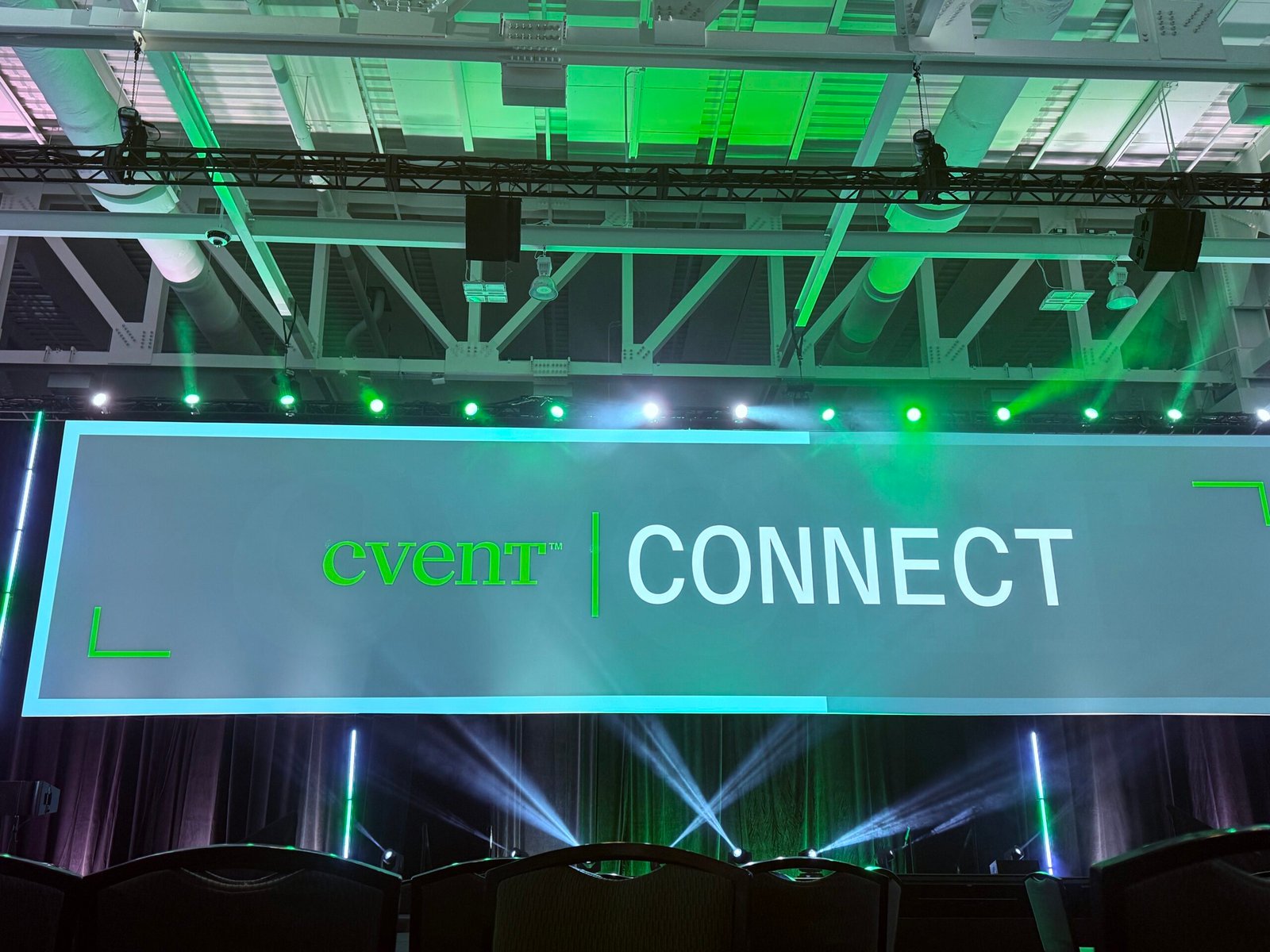
Look at the corners of the frame. That’s the blueprint system, hiding in plain sight on every screen in the building.

That’s the half of the story that speaks to anyone who has actually built an event. Green is the outcome. The blueprint is the craft. Every event — in person, digital, 80 people or 8,000 — begins as a plan on a page, drawn by someone thinking hard about how a room should feel. A brand system that holds both the result and the work behind it is a brand system built by people who know what this job involves.

(There’s a third detail for anyone who enjoys this sort of thing: the shortened crossbar on the wordmark’s “T” is a deliberate nod to technology. Every element here was argued about. You can tell.)

Cvent Connect Conference

The Bar Cvent just set for itself

The line getting the most attention is the purpose statement: Let’s Show the World What Events Can Do.

But the line that I think actually matters is the brand promise sitting alongside it: Expect More from Your Eventsâ„¢.

Read that again, because it cuts both ways.

Yes, it’s a challenge to event profs — expect more from what your events achieve, stop settling for attendance as the headline number. But it is also, unavoidably, an invitation for customers to expect more from the platform running those events. You cannot tell an industry to raise its standards without raising the standard you’re measured against.

A promise this specific is a promise customers get to hold you to.

That’s a genuinely bold thing for a market leader to say out loud. Most incumbents avoid promises that can be checked.

And this one comes attached to a number: a commitment to invest a billion dollars in technology innovation over the next three years. That’s what converts a tagline into something with consequences. Brand language is cheap. Capital allocation isn’t.

What customers actually asked for

The part of Amy’s post I’d point people to is the section on how this was built. Cvent worked with Wolff Olins, took in more than 1,500 external inputs, and pulled a group of customers in close. Those customers came back with three things: keep us at the centre, simplify so we can get our arms around everything you offer, and modernize how you show up.

Sit with the middle one for a second.

Simplify so we can get our arms around everything you offer.

Any of the Cvent experts who have worked deep inside this ecosystem know precisely what that means. Registration. Websites. Email. Attendee experience. Onsite technology. Meetings. Lead capture. Reporting. Integrations. And now a rapidly expanding AI layer sitting across all of it.

The challenge for Cvent has not been whether it has enough capability. It hasn’t been that for years. The challenge is how all that capability comes together into an outcome an event prof can understand, measure and act on without needing a certification to get there.

This is where the “simplify” feedback comes from. Not a boardroom — a breakout room, laptops open, people trying to make it all fit together.

Customers said it plainly. Cvent published it. That takes some confidence, and it tells you the rebrand started somewhere more uncomfortable than a colour palette.

From event management to event performance

For a long time, the event technology conversation was about execution. Can I build the registration flow? Can I launch the website? Can I manage the attendees, run the onsite experience, capture the leads, report on who showed up?

Those things still matter. They will always matter. But the centre of gravity has moved across the whole MICE industry, and the reason is not subtle: the bar for justifying event spend has never been higher. Finance wants proof. Boards want data. “We had record attendance” is not an answer to “what did this return?”

So the next generation of event technology has to sit much closer to business strategy. It needs to understand the intent behind an event, help teams execute faster, connect activity across the full lifecycle, and ultimately help demonstrate whether the thing worked.

This is where AI gets interesting to me — not as a feature list, but as a redistribution of effort. AI can absorb the friction of execution. Humans get to focus on what made events valuable in the first place: the conversations, the relationships, the decisions that move six months faster because two people finally met, the unexpected connections nobody put in the run of show.

Several thousand people who could have watched this on a livestream, in a room, watching it live instead. That’s the whole argument.

Cvent has a name for this now — the Presence Premium — and the argument is that as digital experiences get easier and cheaper to manufacture, being in a room together becomes worth more, not less. I’d been arriving at the same conclusion from the operational side for a while. It’s rare and slightly disorienting to see your own working theory show up as someone else’s keynote.

Cvent Rebranding | Cvent Connect

The Honest Part

I think the Cvent rebranding is directionally right. I also think it’s the beginning of the hard bit, not the end of it.

“Outcomes, not attendance” is currently being said by everyone in event technology, and by most of the MICE industry alongside them. As positioning, it is no longer a differentiator — it’s table stakes. The differentiator is whether you can actually deliver the attribution, and attribution in events is genuinely difficult. Influence is diffuse. Deal cycles are long. The moment that changed someone’s mind rarely leaves a clean data trail.

Naming that problem is not the same as solving it. Solving it is years of product, data and ecosystem work.

But that’s also the strongest argument in Cvent’s favour, and it’s the one the new identity is quietly built on: depth of data, breadth of ecosystem, and twenty-five years of watching how this industry actually operates. If anyone is positioned to make event performance provable rather than merely assertable, it’s the company with the largest view of the problem

Coming back was the best way to see it

Had I still been inside, I think I’d have experienced all of this as another company milestone. Big stage, new logo, back to work.

Leaving changed the question I was asking. When you’re inside, you see product, teams, roadmaps and the daily grind of execution. When you step out, you see the market, the customers, the competitors, and how the brand actually lands on people who don’t already know the story.

So I walked in asking: if I didn’t already know this company, what would it tell me it stands for?

The old answer was, roughly, “we make event software.”

The new one is closer to: we’ll help you prove what your events are worth.

That’s a much better story — and a much harder promise.

The future of events was never about proving that events can happen. Event profs solved that a long time ago. The future is about proving why they matter, to the people holding the budget and asking the difficult questions.

Green is the signal that something is working.

Now comes the part where the industry has to show it.

I Left Cvent. Then I Came Back and Found the Company Making a Promise. Read More »

Got an event approaching soon

15987
AttendeeGain Logo
Select an Option
Scroll to Top