Registration Conversion in the AI Era: Optimizing Cvent Forms for 2026
Quick Answer
The average event registration form has 8.2 fields and converts at roughly 30%, according to Markletic’s 2024 event marketing survey — but conference forms with 12 or more fields convert under 18%. AI is changing that math in 2026: dynamic, conditional registration flows convert at more than double the rate of static forms, per Bizzabo’s 2026 benchmark data. Below is a Cvent-specific framework for closing that gap — field-by-field tactics, real benchmarks, and where Cvent’s new AI tools actually move the number, not general website-design advice you’ve likely seen before.
(If you’re after broader event-website design tips — branding, CTAs, social proof — we covered that separately in Website Magic. This post goes deeper on the form itself.)
Key Takeaways
- The average event registration form converts at roughly 30%, with most drop-off concentrated in fields three through six.
- Conversion doesn’t decline evenly as fields increase — it holds fairly steady through 5 fields, then falls sharply from 5 to 7.
- Dynamic, conditional registration flows convert at more than double the rate of static forms, per 2026 benchmark data.
- Shorter isn’t automatically better. Context matters more than raw field count — we cover the real principle below.
- Cvent’s new Registration Setup capability (in beta since July 2026) lets planners build conditional, conversational registration flows without custom logic-building from scratch.
The Real Numbers Behind Registration Drop-Off
Most advice about registration forms treats field count as a straight line: fewer fields, more conversions. The real data shows a curve, not a line.
Cross-industry form research shows conversion holding relatively steady through the first few fields, then falling off a cliff between 5 and 7 fields — each additional field in that range costs roughly twice what it cost before the cliff. Event-specific data backs the same pattern: forms with 12 or more fields convert under 18%, while the 8.2-field average sits closer to 30%.
But here’s the nuance most listicles skip: shortening a form doesn’t always help. Documented case studies have found the opposite result — one test saw conversions actually improve by adding fields, when the additional questions gave visitors confidence they’d get a genuinely tailored answer. The real driver isn’t field count on its own. It’s whether each field feels justified by the value the registrant expects back.
Where Cvent's Own Tools Change the Calculus
This is where Cvent-specific tactics diverge from generic form advice.
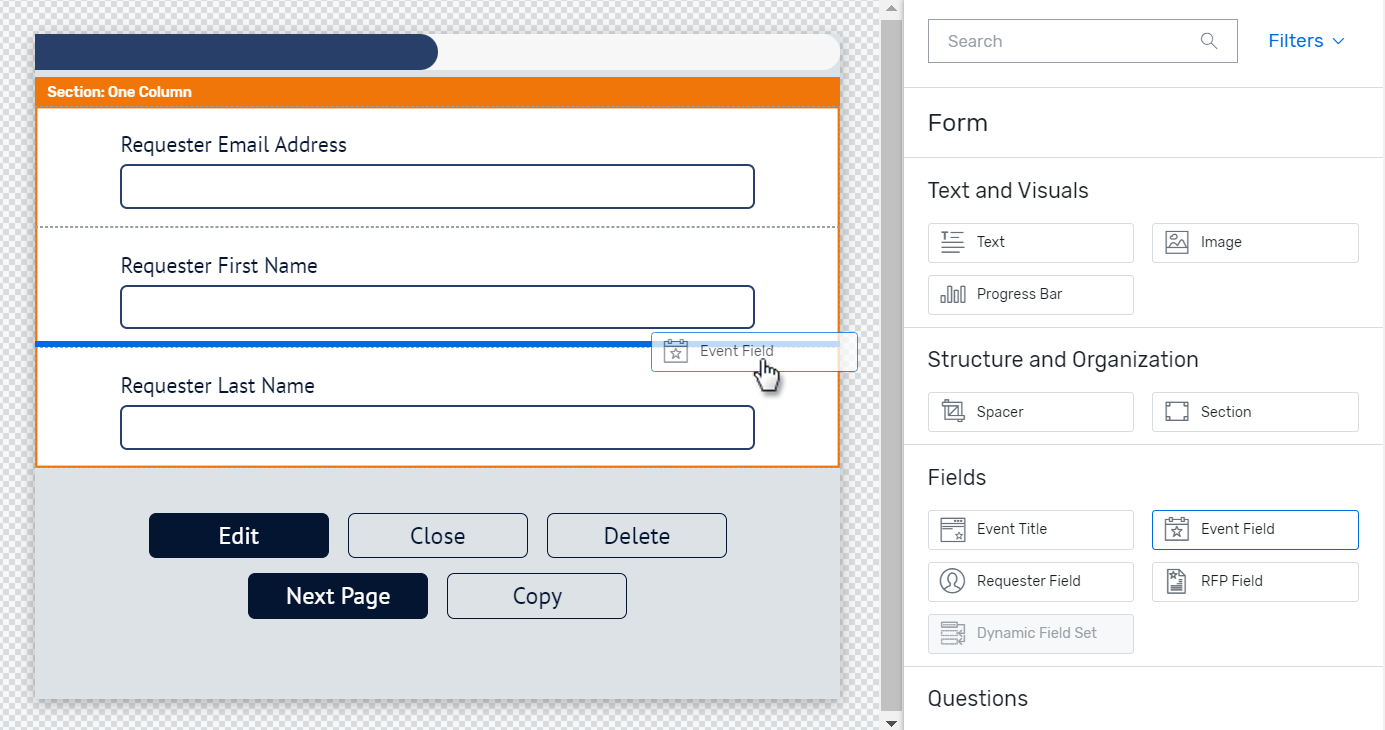
Conditional logic and multi-track builds let you keep the felt length of a form short even when the total field count is higher. Ask the qualifying question first — track, session interest, dietary needs — then use logic branching to show only the fields relevant to that answer. A 15-field form that shows each registrant only 6 of them behaves like a 6-field form in practice.
Global Profiles and Discovered Interests reduce required typing for returning attendees entirely. If someone already has a profile from a past event, pre-fill what you already know instead of asking again — every pre-filled field is a field that can’t be abandoned.
The Registration Setup capability, in beta since July 2026, lets planners configure conversational, conditional registration flows without building custom logic from scratch. This is Cvent’s direct answer to the industry-wide shift toward dynamic registration — 2026 benchmark data shows these flows converting at more than double the rate of static forms. For the full status of this and related Assistant capabilities, see our Cvent Assistant status tracker.
A Practical Field-by-Field Framework
Sort every field into one of three tiers before you build anything:
- Tier 1 — always ask upfront. Name, email, company. Nothing else belongs above the fold.
- Tier 2 — ask only if relevant. Dietary restrictions, session track, breakout preferences. Use conditional logic to surface these only after a qualifying answer makes them necessary.
- Tier 3 — don’t ask at all if you can avoid it. Anything Global Profiles or CRM data already knows. Progressive-profile this after registration instead of front-loading it.
This tiering does more for your real conversion rate than any single “shorten your form” rule, because it targets the actual mechanism — perceived effort versus perceived value — rather than a raw field count.
A/B Tests Worth Running
- Remove one mid-funnel field (typically field 3–6, where drop-off concentrates) and measure completion rate against your baseline.
- Static form vs. conditional-logic flow for the same event, if your program runs at high enough volume to split test meaningfully.
- Confirmation-flow copy, testing urgency-based messaging against neutral confirmation language.
- Reminder timing. Since a majority of registrants sign up within seven days of an event, test a late-window nudge sequence against your current cadence.
Benchmarks to Judge Your Own Funnel Against
| Metric | Benchmark |
|---|---|
| Average event registration form field count | 8.2 fields |
| Average event registration completion rate | ~30% |
| Conference forms with 12+ fields | Under 18% conversion |
| Field-count “cliff” | Sharpest drop between 5 and 7 fields |
| Dynamic/conditional flows vs. static forms | 2x+ conversion rate |
| Webinar registration-to-attendance rate | 44–50% |
| Registrants who sign up within 7 days of the event | 59% |
If your funnel sits meaningfully below these numbers, the field-tiering framework above is the fastest place to start.
Where to Go From Here
Registration conversion and event ROI are directly connected — a higher-converting form means more pipeline from the same traffic. See our event ROI framework for how to connect registration performance to pipeline and revenue. For the AI infrastructure behind features like Registration Setup, read our CventIQ explainer.
FAQs
What’s a good event registration conversion rate? Around 30% is the current average, based on Markletic’s 2024 event marketing survey. Conference forms with 12 or more fields tend to convert under 18%, while shorter, well-tiered forms can exceed the average.
Does shortening a registration form always increase conversions? No. Field count matters, but context matters more. Documented tests have found longer forms outperforming shorter ones when the extra fields signal a more tailored result. The real driver is whether each field feels justified by the value the registrant expects.
How many fields should an event registration form have? There’s no universal number. Use a tiered approach: ask only name, email, and company upfront, surface additional fields conditionally based on qualifying answers, and pull anything else from existing profile or CRM data instead of asking again.
What is Cvent’s Registration Setup capability? A Cvent Assistant capability, in beta since July 2026, that lets planners build conditional, conversational registration flows without custom logic-building from scratch.
Does AI actually improve registration conversion? Early data suggests yes. Dynamic, conditional registration flows convert at more than double the rate of static forms, per 2026 industry benchmark data, largely by reducing the felt effort of completing the form.
Registration Conversion in the AI Era: Optimizing Cvent Forms for 2026 Read More »